Imagine having a tireless, intelligent assistant that can write a report, design a logo, analyze complex data, or even compose music based on a simple sentence you type. This isn’t science fiction; it’s the reality of today, powered by AI Tools. If you’re new to this world, feeling both excited and overwhelmed, this guide is for you. We’ll break down exactly what AI tools are, how they work, and how you can start using them to enhance your work, creativity, and daily life in 2026.What are AI tools? The Complete 2026 Beginner’s Guide with Real-World Examples
Part 1: The Fundamentals – What Exactly Are AI Tools?
At its core, an AI (Artificial Intelligence) Tool is a software application that utilizes machine learning and other AI techniques to perform tasks that traditionally required human intelligence. These tools don’t “think” like humans; instead, they identify patterns, learn from massive amounts of data, and make predictions or generate outputs based on that training.
Think of it like this: If you showed a child thousands of pictures of cats and dogs, they’d eventually learn to tell the difference. An AI tool does something similar, but at a scale and speed impossible for a human. It processes millions of data points (text, images, code, etc.) to learn the “pattern” or “rules” of a task.
Key Concepts for Beginners:
- Model: The “brain” of the AI, the algorithm trained on data. Examples include GPT (for text), DALL-E/Stable Diffusion (for images), and Whisper (for audio).
- Prompt: The instruction or question you give the AI. The quality of your prompt directly affects the quality of the output. This is often called “prompt engineering.”
- Training Data: The vast collection of text, images, or other media the AI learned from. The diversity and quality of this data shape the tool’s capabilities and biases.
- Generative AI: A major subset of AI tools in 2026 that doesn’t just analyze but creates new content—text, images, videos, code, and more.
Part 2: The AI Toolbox – Major Categories & 2026 Examples
AI tools have specialized. Here’s a breakdown of the main categories, with specific, up-to-date examples of how they are used in 2026.
1. Text & Writing AI Tools
These tools understand, generate, summarize, and translate language.
- What they do: Write blog posts, marketing copy, emails, scripts, translate languages, proofread, and answer questions in a conversational way.
- How a Beginner Can Use Them:
- Overcome Writer’s Block: “Write a compelling intro paragraph for a blog post about sustainable gardening for apartment dwellers.”
- Repurpose Content: “Turn this 10-point listicle into a thread for Twitter/X.”
- Edit & Improve: “Make this email more professional and concise.”
- 2026 Landscape Examples: While giants like ChatGPT, Gemini, and Claude remain prevalent, 2026 sees a rise in specialized writing agents. Tools like Jasper have evolved into full-scale content orchestration platforms, while open-source models run locally on powerful laptops, offering privacy-focused writing assistants. Newcomers like Copy.ai focus heavily on data-driven marketing copy that A/B tests variations in real-time.
2. Visual & Design AI Tools
These tools create, edit, and manipulate images, videos, and designs.
- What they do: Generate original artwork from text descriptions, edit photos (remove objects, expand backgrounds), create logos, design UI mockups, and even generate short videos.
- How a Beginner Can Use Them:
- Create Blog Graphics: “A minimalist illustration of a brain with gears turning, digital art style.”
- Edit Personal Photos: “Remove the trash can from the background of this beach photo and make the sunset more vibrant.”
- Brainstorm Ideas: “Generate three logo concepts for a bakery called ‘The Rising Dough’ that uses warm colors.”
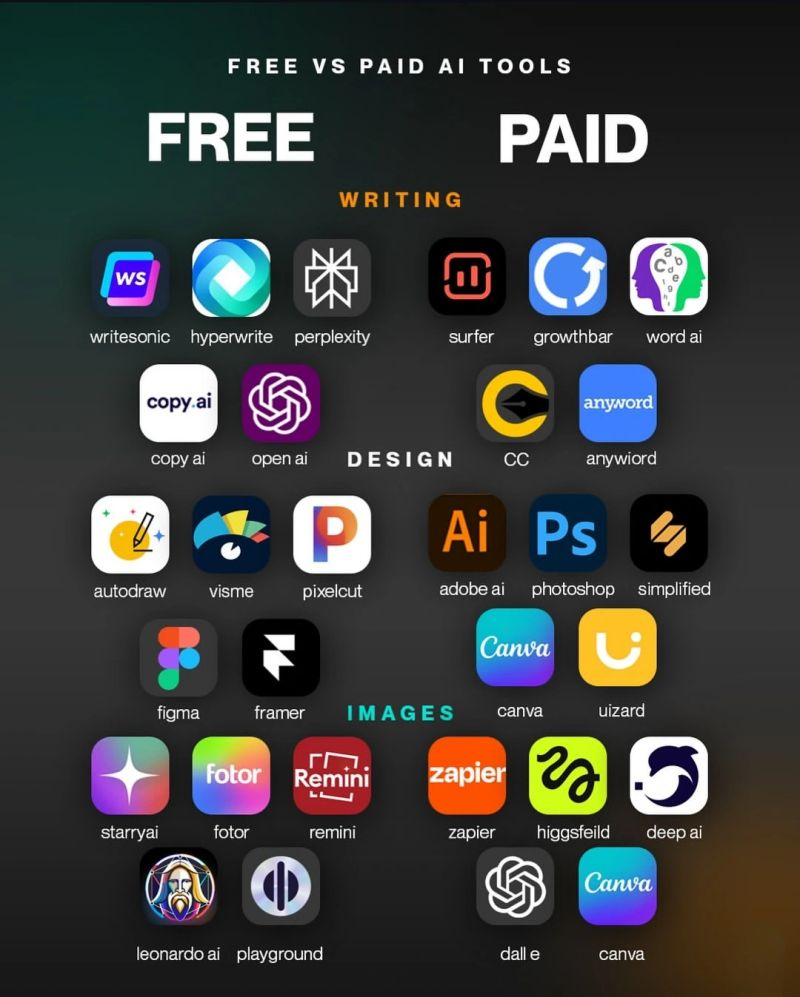
- 2026 Landscape Examples: Midjourney, DALL-E 3, and Stable Diffusion 3 now produce hyper-realistic and stylistically consistent images. The game-changer in 2026 is Runway ML’s Gen-3 and OpenAI’s Sora, which allow for coherent, multi-shot video generation from text. For designers, tools like Adobe Firefly are deeply integrated into Photoshop and Illustrator, allowing for “Generative Fill” and asset creation within existing workflows.
3. Audio & Music AI Tools
These tools work with sound—speech, music, and effects.
- What they do: Generate human-like voiceovers, clone voices (ethically, with permission), create original royalty-free music, transcribe meetings/podcasts, and remove background noise.
- How a Beginner Can Use Them:
- Add Voiceover to a Video: Generate a calm, friendly male voice to narrate your presentation.
- Transcribe a Lecture: Upload a recording of a talk and get a perfect text transcript.
- Create a Podcast Jingle: “An upbeat, acoustic guitar intro loop, 10 seconds long.”
- 2026 Landscape Examples: ElevenLabs leads in hyper-realistic, emotionally variable speech synthesis. Sunno AI and Udio have democratized music creation, allowing users to generate complete songs with structure, lyrics, and vocals based on genre and mood prompts. Transcription tools like Otter.ai now offer real-time translation in transcripts for global teams.
4. Code & Development AI Tools
These are copilots for programmers and even for non-coders who want to build things.
- What they do: Write code snippets, explain existing code, debug errors, convert code between languages, and help structure entire projects.
- How a Beginner Can Use Them:
- Learn to Code: “Explain this Python function that sorts a list, line by line.”
- Build a Simple Website: “Generate HTML and CSS for a responsive landing page for a dog-walking service.”
- Automate Tasks: “Write a script that renames all the .jpg files in this folder with the date prefix.”
- 2026 Landscape Examples: GitHub Copilot and Amazon Q Developer are now ubiquitous integrated development environment (IDE) companions. Replit’s AI has made it possible to describe a full-stack app and see it built in real-time. The trend in 2026 is toward AI agents that can complete entire development tickets, testing and debugging their own code.
5. Productivity & Workflow AI Tools
These tools integrate into your daily apps to streamline tasks.
- What they do: Summarize long emails and documents, manage projects, schedule meetings, extract data from documents, and automate repetitive tasks across applications.
- How a Beginner Can Use Them:
- Tame Your Inbox: Use an AI to prioritize emails and draft quick replies.
- Master Meetings: Get an AI-generated summary with action items after a Zoom call.
- Organize Research: “Extract all the key statistics and quotes from this 50-page PDF report.”
- 2026 Landscape Examples: Tools like Notion AI and Coda AI work within your documents. Microsoft Copilot and Google’s Duet AI are embedded in the entire Office 365 and Workspace suites, acting as a true OS-level assistant. Zapier’s AI can now build complex automations from natural language descriptions.
Part 3: How to Start Your AI Journey – A Practical 2026 Roadmap
Feeling ready to dive in? Follow this beginner-friendly path:
- Start with a Conversational Chatbot: The easiest entry point. Sign up for a free tier of ChatGPT, Claude, or Gemini. Don’t just ask questions; try to collaborate.
- Beginner Task: “Help me plan a 7-day trip to Rajasthan. Suggest a daily itinerary, local food to try, and give me a packing list for October. Present it in a table.”
- Experiment with Image Generation: Move to a visual tool. DALL-E 3 (via ChatGPT Plus) or Bing Image Creator are user-friendly starting points.
- Beginner Task: Try the prompt: “A cozy reading nook by a large window on a rainy day, in the style of a Studio Ghibli animation, warm lighting.”
- Integrate AI into a Current Task: This is where the magic happens. Apply AI to a real problem you have this week.
- Stuck writing a work report? Feed your notes to an AI and ask for a first draft.
- Need a presentation? Use an AI to create an outline and suggest visuals.
- Overwhelmed by a long article? Paste the URL into a chatbot and ask for a summary.
- Learn the Art of the Prompt: Your input guides the output. Be specific.
- Bad Prompt: “Write a poem.”
- Good Prompt: “Write a short, haiku-style poem about a robot learning to appreciate a sunset, with a tone of quiet wonder.”
- Explore Specialized Tools: Once comfortable, branch out. Try Sunno for a song, ElevenLabs for a voiceover, or Cursor (an AI-powered IDE) if you’re code-curious.
Part 4: Navigating the Ethical Landscape in 2026
With great power comes great responsibility. As a beginner, be aware of:
- Bias & Accuracy: AI can reflect biases in its training data and can “hallucinate” (make up) false information. Always fact-check critical outputs.
- Originality & Plagiarism: AI-generated content isn’t inherently “yours.” Use it as a starting point, not a final product. Infuse it with your own voice and expertise.
- Job Impact & Human Touch: AI is a tool to augment human ability, not replace it. The most valuable skills in 2026 are AI Literacy (knowing how to use these tools), Critical Thinking (judging the output), and Creative Direction (guiding the AI).
- Privacy: Be cautious about inputting sensitive personal, company, or client data into public AI tools. Use enterprise or local options for confidential work.
Part 5: The Future is Now – Where is This Headed in 2026 and Beyond?
As we stand in 2026, the trend is moving from single tools to AI Agents. Instead of you manually using ten different AIs, you’ll tell one primary AI agent your goal—e.g., “Launch a newsletter on urban farming”—and it will autonomously use other tools to research, write, design graphics, build the landing page, and schedule the campaign.
The barrier to entry is gone. The skill is no longer about access to technology, but about your vision, taste, and ability to guide these powerful tools effectively.
Conclusion: Your AI Journey Starts with a Single Prompt
AI tools in 2026 are not a distant future; they are active, accessible partners. They democratize creativity, amplify productivity, and solve tedious problems. The key for a beginner is to start simple, experiment without fear, and focus on solving real, small problems. Don’t aim to “master AI.” Aim to master a task with the help of AI.
Your journey begins not with understanding every algorithm, but with asking a question. Open a new tab, find an AI tool, and type your first prompt. See what happens. That moment of curiosity is the first step in becoming an architect of the future.
Start today. Your intelligent assistant is waiting.